


PixelPhrase ™ Pics & Word Game
4.6543.00 Reviews
App Specs
- Version
- 2.2.3
- Updated On
- License
- Free
- Downloads
- 100,000+
- Developer
- MEGARAMA
- Categories
- Trivia
- Platform
- Android
Screenshots
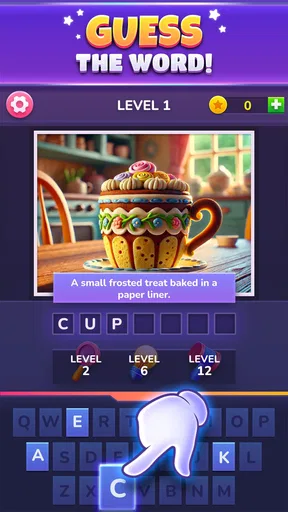
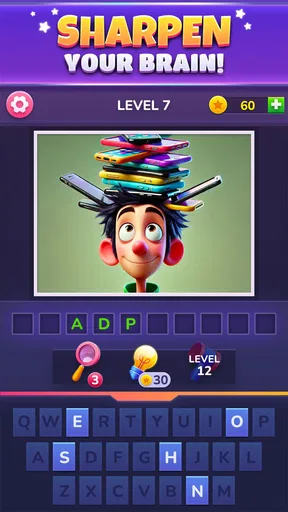
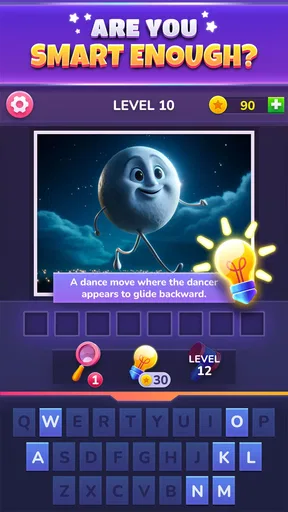
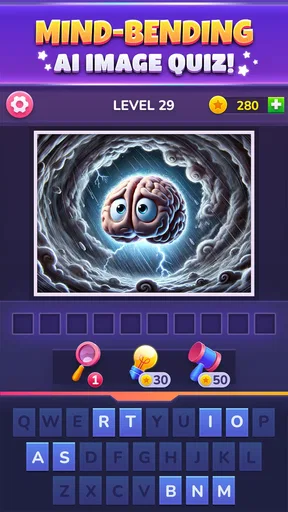
 Analysis by AppCompare
I enjoy trivia games most when they give me something to interpret rather than simply asking me to recall a fact. PixelPhrase ™ Pics & Word Game takes that visual route: its puzzles use pixelated pictures as clues, asking me to turn what I see into a word or phrase. That small shift makes each round feel less like a conventional quiz and more like solving a compact visual riddle.
Reading a picture instead of recalling an answer
The central pleasure here is working out how an image might point beyond its literal subject. A picture can suggest an object, an action, a sound, or an idea, and the challenge is deciding which connection the puzzle intends. That makes observation only the first step; the more useful skill is trying several interpretations without locking onto the first one.
In practice, I find it helpful to name what I can actually see before guessing what it means. Then I consider whether the clue could work through a familiar phrase or a word association. This simple routine keeps me from staring at a picture and repeating the same guess in my head. It is especially useful when a clue seems obvious at first but does not lead to the answer.
The pixel-art treatment suits this format because it gives the images a distinctive look while keeping them readable as clues. It also leaves room for ambiguity, which is both the game’s charm and its main source of friction. When a puzzle clicks, the answer feels earned; when the intended association is too far from my own, I can see why a hint would be tempting.
Getting Started with PixelPhrase
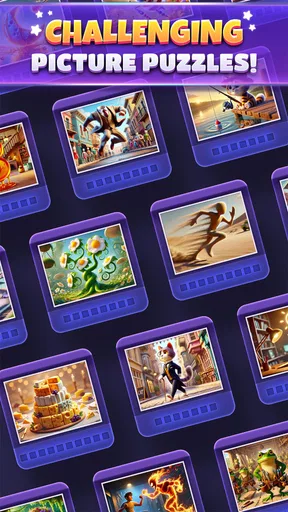
When you first open up PixelPhrase ™ Pics & Word Game, you’re greeted with a vibrant and user-friendly interface. It doesn’t take long to figure out where everything is, thanks to the intuitive design. Even if you're not the most tech-savvy person, you'll find navigating the app to be a breeze. The game starts off easy, easing you into the mechanics, but don’t be fooled—it gets challenging pretty quickly!
The Gameplay Experience
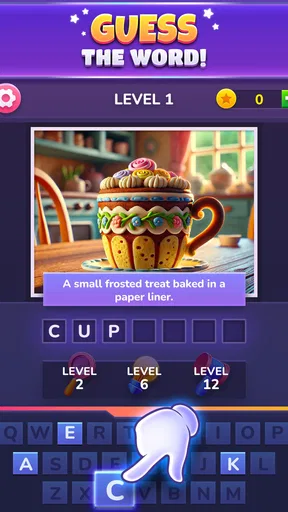
The core of the game revolves around using a series of pixelated images to guess a word or phrase. It sounds simple, right? But here’s where it gets interesting. The images are cleverly designed to be a bit cryptic, compelling you to think outside the box. It’s like playing charades, but with still images.
As you progress, the puzzles become more intricate. The game encourages lateral thinking, and you’ll often find yourself having ‘aha!’ moments when the solution finally clicks. It’s incredibly satisfying and a great way to keep your brain engaged. Plus, there’s a hint system for when you’re really stumped, which is a lifesaver.
Worth Reading Before You Choose

Flipboard Shows What News Apps Must Do Beyond the Feed

Switching to Android Auto Means Rethinking Your Driving Routine

Google Calendar Makes a Crowded Week Easier to Manage

Ludo King Makes the Most of the Minutes Between Plans

Baby Panda World Brings Quick Play to Modern Phones, but Its Game Library Feels Busy

ESPN’s Live Game View Makes Following Close Games Easier
Making a hint work harder
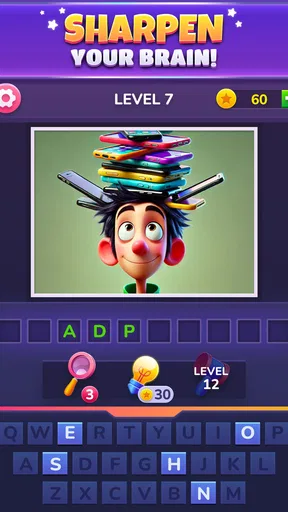
I treat a hint as a nudge, not as a reason to stop thinking. Before using one, I try to list a few possible meanings for the image and check whether the answer might be a phrase rather than a single object. If I still cannot find a plausible connection, that is the point when a hint can save time instead of turning the round into a frustrating staring contest.
That approach also makes the game a better fit for short breaks. I can give a puzzle a focused attempt, step away if my guesses are going in circles, and return with a fresh interpretation. A brief pause can be more useful than repeatedly tapping at an answer while fixated on one reading of the picture.
Visuals and Sound
The pixel art style is both charming and nostalgic, reminiscent of classic video games. It strikes a perfect balance between being simplistic and detailed enough to be engaging. The colors are vibrant, which makes the game visually appealing and fun to look at.
Sound-wise, the game features a pleasant background track that enhances the experience without being distracting. The sound effects are subtle and add to the overall immersion, giving you that little dopamine hit every time you solve a puzzle.
A handy game for small gaps in the day
A realistic use for this kind of puzzle is a quiet few minutes while waiting for a ride, sitting through a break, or relaxing after finishing a task. I would open it when I want a small mental challenge without committing to a long story or a match that depends on other players being ready. The picture gives me an immediate starting point, so there is no need to prepare or remember where I left off in a complicated game.
It also works as a casual pass-and-discuss activity with someone nearby: each person can offer a different interpretation of the same clue before anyone reaches for a hint. That is not a substitute for a dedicated multiplayer game, but it can make an otherwise solitary puzzle more social. I would avoid turning it into a high-pressure group contest, since an ambiguous image can invite several reasonable guesses.
Why You’ll Love It
What makes this game stand out is its ability to blend creativity with problem-solving. Each level feels like a mini-celebration when completed, and you’ll find yourself wanting to tackle just one more puzzle before putting it down. It’s perfect for quick breaks or long gaming sessions, depending on your mood.
The game also fosters a sense of community with its online leaderboards and challenges, allowing you to compete with friends or other players globally. It’s a nice touch that adds a layer of competitiveness for those who thrive on it.
How it compares with other trivia games
Compared with trivia apps built around general-knowledge questions, this is a more visual and associative test. It does not ask me to retrieve a date or fact I may have forgotten; it asks me to interpret a clue. That makes it easier to pick up when I do not feel like studying or competing on a broad range of topics, but less suitable if I specifically want factual quizzes or a steady stream of questions with objectively familiar answers.
It also differs from a standard word-search or crossword. Those formats give me letters, a grid, or crossing answers to narrow the possibilities. Here, the image does most of the prompting, so the solution can depend more on how I read the visual than on a sequence of letter patterns. If I enjoy making associations, that is a strength. If I prefer clues with tightly constrained answers, a crossword may feel fairer.
Who is likely to enjoy it most?
I would recommend it to people who like wordplay, visual riddles, and the satisfying moment when a phrase suddenly makes sense. It is also a reasonable choice for casual players who want a game they can dip into without learning a complicated set of rules. The simple premise makes it approachable, while the increasingly tricky clues give experienced puzzle fans something to chew on.
It is less likely to suit someone who dislikes ambiguity, expects every clue to have an immediately obvious interpretation, or wants a trivia game focused on knowledge rather than inference. Players who find themselves irritated by a puzzle with an obscure connection may prefer a word game with more explicit letter-based guidance. I would also choose another option for a session that depends on sustained competition; the appeal here is primarily the individual act of decoding each picture.
Room for Improvement
While the game is a ton of fun, there’s always room for improvement. Occasionally, some puzzles can feel a bit too obscure, even with hints, which might frustrate some players. It would be nice to have a few more ways to earn hints or perhaps a daily login bonus to keep things interesting.
Also, although the app runs smoothly most of the time, there are moments when it lags, especially on older devices. An update focusing on performance optimization could enhance the user experience significantly.
Price, age suitability, and what to expect
MEGARAMA’s trivia game is free to download, with optional in-app purchases listed from $0.99 to $89.99 per item. I would treat the free starting point as a chance to see whether the image-and-phrase format suits me before spending anything. Since the game includes a hint system, anyone considering a purchase should first decide whether they genuinely want extra help or would rather sit with a difficult clue a little longer.
It is rated for Everyone, so the content is positioned for a broad audience. That makes it an easy pick for a family puzzle break, though younger players may still need help with word associations that rely on expressions they have not encountered. The app is version 2.2.3 and requires Android 6.0 or later. Its release was on July 26, 2024; it has a 4.7 average from around 2.1 thousand ratings, with over 100 thousand installs.
A few practical expectations
If you are wondering whether this is a conventional quiz, the short answer is no: the defining activity is decoding picture clues into words or phrases. If you are asking whether it can work for a quick session, its self-contained puzzle format makes that a natural way to play. And if you are unsure whether to use hints, I would save them for clues where several sensible interpretations have led nowhere, rather than spending one as soon as a picture looks unusual.
For a player choosing between this and a fact-based trivia app, the decision comes down to the kind of challenge they want. Pick this when you would rather reason from an image than test stored knowledge. Choose a conventional quiz when you want clear subject categories or questions with direct factual answers. Neither style is universally better; they satisfy different moods, and this game is at its best when you are in the mood to make connections.
In conclusion, PixelPhrase ™ Pics & Word Game is a refreshing take on the word puzzle genre. It’s engaging, visually appealing, and offers just the right amount of challenge to keep you coming back for more. Whether you’re a puzzle enthusiast or just looking for a fun way to pass the time, this game is definitely worth a download. So go ahead, give it a shot, and get ready to flex those mental muscles!
Pros
- Engaging puzzles with varying difficulty.
- Visually appealing graphics and design.
- Smooth and intuitive user interface.
- Regular updates with new content.
- Offline play available for convenience.
Cons
- Can be repetitive after extended play.
- In-app purchases can add up quickly.
- Ads can be intrusive at times.
- Limited hints without purchasing extras.
- Requires frequent internet for features.
FAQs for PixelPhrase ™ Pics & Word Game
What is PixelPhrase ™ Pics & Word Game about?
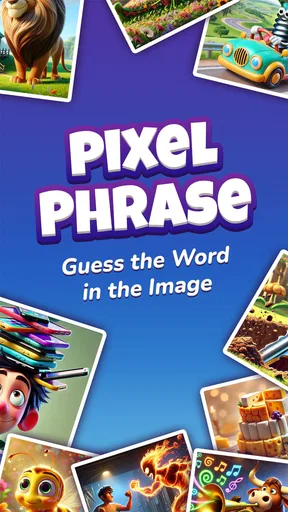
PixelPhrase ™ Pics & Word Game is an engaging puzzle app that blends visual clues with word challenges. Players are presented with pixelated images and must decipher the word or phrase they represent. This game is perfect for those who enjoy testing their vocabulary and problem-solving skills in a fun and interactive way.
How do the game mechanics work in PixelPhrase ™?
In PixelPhrase ™, each level presents a pixelated image that hints at a specific word or phrase. Players must guess the correct answer using a provided set of letters. As you progress through the levels, the puzzles become more challenging, requiring keen observation and creative thinking.
Is there a multiplayer mode in PixelPhrase ™ Pics & Word Game?
Currently, PixelPhrase ™ does not feature a dedicated multiplayer mode. However, players can engage in friendly competition by comparing scores and progress with friends. This adds a social element to the game, making it a great way to connect and challenge others.
Are there in-app purchases available in PixelPhrase ™?
Yes, PixelPhrase ™ offers in-app purchases that provide players with additional hints and the option to remove ads. While the game is free to download, these purchases can enhance the gaming experience by allowing players to progress more smoothly through difficult levels.
What platforms is PixelPhrase ™ available on?
PixelPhrase ™ Pics & Word Game is available on both Android and iOS platforms. You can download it from the Google Play Store for Android devices or the Apple App Store for iOS devices. The game is designed to work seamlessly across different devices, providing a smooth and entertaining experience.


